UMANG App PF Balance Check: Step-by-Step Process
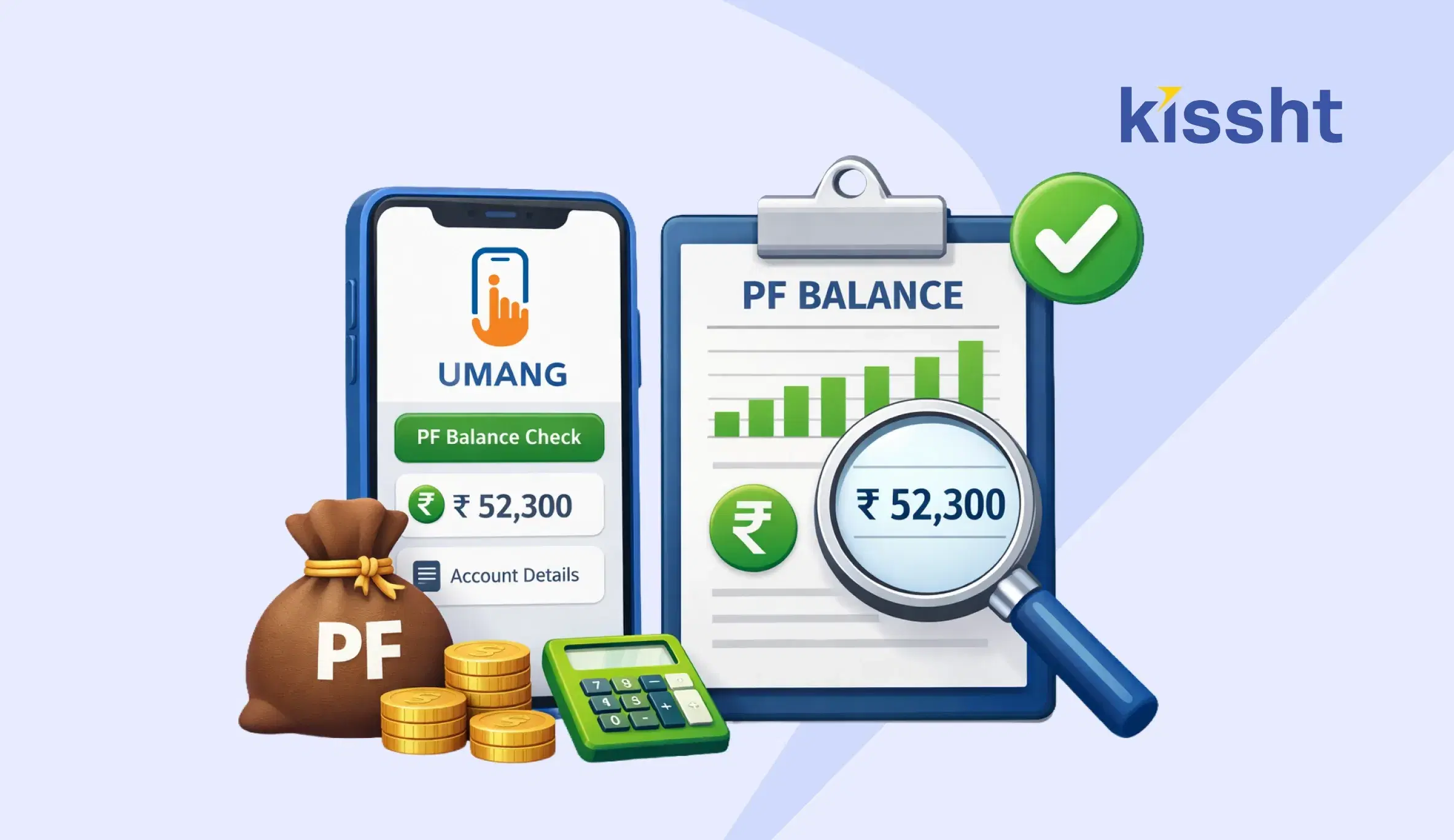
Keeping track of provident fund savings has become much easier with digital government platforms. Earlier, checking PF details often meant visiting offices or navigating multiple websites. Today, most of this information is available on a mobile phone within minutes. This convenience is especially useful for salaried employees who want clarity on long-term savings without disrupting their daily routine.
The UMANG EPFO integration plays a key role here. Through the UMANG platform, employees can access PF information securely and in real time.
For people who are also managing short-term finances or planning repayments using a loan EMI calculator, having instant visibility into PF savings helps in making more informed decisions. In some cases, users who rely on an online loan app for temporary needs also prefer having their employment records and PF details easily accessible in one place. Platforms like Kissht are often explored during such planning phases, as they fit into a broader digital-first financial approach.
Why Checking PF Balance Regularly Matters
Provident fund savings form an important part of long-term financial security. Regularly checking the balance helps employees stay aware of employer contributions, personal savings, and interest accumulation.
Some practical reasons to track PF balance include
• Ensuring employer contributions are credited correctly
• Planning long-term goals like retirement or education
• Verifying records when changing jobs
• Supporting financial planning decisions
Using an app to check the PF balance removes uncertainty and gives peace of mind.
What Is UMANG EPFO and How It Works
UMANG acts as a single digital gateway for multiple government services, including EPFO. The EPFO UMANG app feature allows employees to access their provident fund account without logging into multiple portals.
Through EPFO UMANG, users can
• View PF balance
• Access the EPFO passbook
• Check claim status
• Verify account details
This integration simplifies PF management for employees across sectors.
What You Need Before Checking PF Balance on UMANG
Before starting the UMANG app PF balance check, a few things should be ready.
Ensure that
• The mobile number is linked to the UAN
• UAN is active
• UMANG app is installed and updated
• OTP access is available
These basic checks prevent login issues later.
Step-by-Step Process to Check PF Balance Using UMANG App
Step One- Download and Open the App
Install the UMANG app from the official app store. Open the app and complete basic registration using the mobile number.
Step Two- Navigate to EPFO Services
Once logged in, search for EPFO in the services section. Select EPFO UMANG from the list.
This takes you to all PF-related options under one dashboard.
Step Three- Select PF Balance Option
Tap on the option related to the PF balance or passbook. This is often labelled under the PF UMANG app services.
Step Four- Complete EPFO UMANG Login
Enter the UAN linked to the EPFO account. Complete OTP verification sent to the registered mobile number. This step is often referred to as EPFO UMANG login or EPFO login UMANG.
Step Five- View PF Balance and Passbook
After successful verification, the PF balance and detailed transaction history appear on the screen. Users can also access EPFO passbook UMANG details to review monthly contributions.
Overview of PF Services Available on UMANG
| Service | What It Shows |
|---|---|
| PF balance | Current accumulated savings |
| Passbook | Monthly contribution history |
| Claim status | Updates on withdrawal requests |
| Account details | Employer and member information |
This table highlights why UMANG is widely used for PF-related tasks.
Common Issues While Checking PF Balance and How to Fix Them
Sometimes users face minor issues during the process.
Common problems include
• UAN not linked to mobile number
• Incorrect OTP delivery
• Outdated app version
• Inactive UAN
Updating details with the employer or EPFO usually resolves these issues.
How PF Information Helps in Financial Planning
PF savings are often considered a safety net. Knowing the exact balance helps individuals assess how much emergency buffer exists and how much additional support may be needed.
For example, someone planning expenses may check PF savings alongside using a loan EMI calculator to understand repayment comfort. In urgent situations, people may explore an instant loan online option to cover immediate needs while keeping long-term savings intact.
Managing Short-Term Needs Without Disrupting PF Savings
Provident fund withdrawals are meant for specific situations and long-term goals. Many individuals prefer not to touch their PF savings for short-term expenses.
In such cases, digital borrowing options through an online loan app are sometimes explored. Platforms like Kissht may be considered for short-term support, especially when clarity around repayments and timelines is important. The focus should always remain on borrowing responsibly and aligning repayments with income.
Benefits of Using UMANG for PF Balance Check
Using UMANG offers several advantages
• One platform for multiple services
• Secure and verified access
• No need to visit EPFO offices
• Real-time PF updates
• Simple and user-friendly interface
These benefits make UMANG suitable for both first-time and experienced users.
Practical Tips for Smooth PF Balance Checks
• Keep UAN details updated
• Ensure mobile number is active
• Log out from shared devices
• Check balance periodically
These steps reduce errors and save time.
Closing Perspective
The UMANG app has simplified how employees access provident fund information. With a clear step-by-step process, checking the PF balance is no longer time-consuming or confusing. By regularly tracking PF savings through UMANG, individuals stay informed and better prepared for both long-term planning and short-term financial decisions.
FAQs
Q1. Can the PF balance be checked without visiting the EPFO office?
Yes. PF balance can be checked digitally using the UMANG app.
Q2. Can the PF passbook be downloaded from UMANG?
Yes. The EPFO passbook UMANG option allows users to view and download details.
Q3. Does checking the PF balance affect withdrawals?
No. Viewing balance does not impact withdrawal eligibility or records.



Instant Loans at Your Fingertips


Personal Loan
Fast, hassle-free loan for your personal needs.

Business Loan
Fuel your business growth with quick approvals.

Loan Against Property
Unlock your property’s value with ease.

Credit Pulse
Boost your credit score with smart insights.

Track your credit score
Simply enter your mobile number to get a quick overview of your credit score.
Check Now
Related articles
Feb 26, 2026
How to Safeguard Yourself Against Cyber Phishing Attacks
Feb 25 ,2026
Income Tax Saving Tips for Salaried Employees in India

Feb 23, 2026
Disneyland Locations in the World with Ticket Prices
Feb 22 ,2026
How to File GST Return Online Step-by-Step in India

Feb 23, 2026
What is Kisan Vikas Patra? KVP Scheme Features, Benefits, Interest Rate & Eligibility
Feb 18, 2026
What is the Digital Seva Portal? Registration, Login & Services Explained

Feb 17, 2026
Top 10 TV Brands in India 2026 - Price & Key Features
Feb 15, 2026
CIF Full Form in Banking: Meaning, Uses & Importance Explained

Feb 23, 2026
Black Friday 2026 Date in India: What Is Black Friday & Why Does Everyone Shop on This Day?
Feb 23, 2026
How to Apply Electric Vehicle Subsidy in India 2026: Eligibility, Amount & Process

Feb 23, 2026
Best Summer Vacation Places in India for a Refreshing Escape

Feb 23, 2026